Cadrix for Operations

Keep back-office work moving, with a person approving what matters.

Requests arrive by email, forms and chat. Someone reads each one, re-keys it into another system and chases a sign-off. Cadrix lets you build the routing, checking and reporting once, with approvals and a record of every run.

Operations managersBack-office teamsShared-service teamsProcess owners

No credit cardBring your own model key

Example workflows

Three ways to start

Each one runs from a trigger, through agent and tool steps, to an approval and an output.

These are illustrative examples assembled from node types in Cadrix. They are not ready-made templates, and your own systems, rules and approvers will shape the real thing.
Example workflow

Route an inbound request

A shared mailbox becomes a queue that sorts itself. The agent reads each request and a person confirms where it goes before a ticket is raised.

  1. Trigger
    Email Trigger
    A new message arrives in the shared mailbox
  2. Agent
    Agent
    Reads the email and pulls out the key fields
  3. Decision
    Condition
    Branches by request type
  4. Approval
    Human Input
    Owner approves or edits the routing
  5. Tool
    Jira
    Creates the issue in the right project
Example workflow

Weekly status digest

A recurring report that reads your tracker, drafts the summary and waits for a manager to review before it goes out.

  1. Trigger
    Schedule Trigger
    Every Monday morning
  2. Tool
    Google Sheets
    Gets the rows from your tracker
  3. Agent
    Agent
    Summarises changes and flags risks
  4. Approval
    Human Input
    Manager reviews the draft
  5. Output
    Generate PowerPoint
    Builds a short status deck
Example workflow

Supplier document intake

A portal or form posts a file. The agent extracts the details, checks them against your own policy text and files the result once approved.

  1. Trigger
    Webhook Trigger
    A supplier portal posts a document
  2. Agent
    Agent
    Extracts the details from the file
  3. Knowledge
    Retriever
    Looks up the relevant policy text
  4. Approval
    Human Input
    Reviewer confirms or rejects
  5. Output
    Google Drive Upload
    Stores the file with the record
What governance gives you here

Control that fits operations work.

  • Approvals where it countsAdd a Human Input step before anything is filed, sent or created. The run waits, then continues where it stopped.
  • A trace for every runOpen a run to see what each step received and returned. Retry a failed step without losing the original.
  • Roles per resourceDecide who can view, build and run. Permissions are enforced on the server, not only hidden in the menu.
  • Workspaces for each teamGive each team its own members and policies under one organisation.
app.cadrixflow.com / canvas
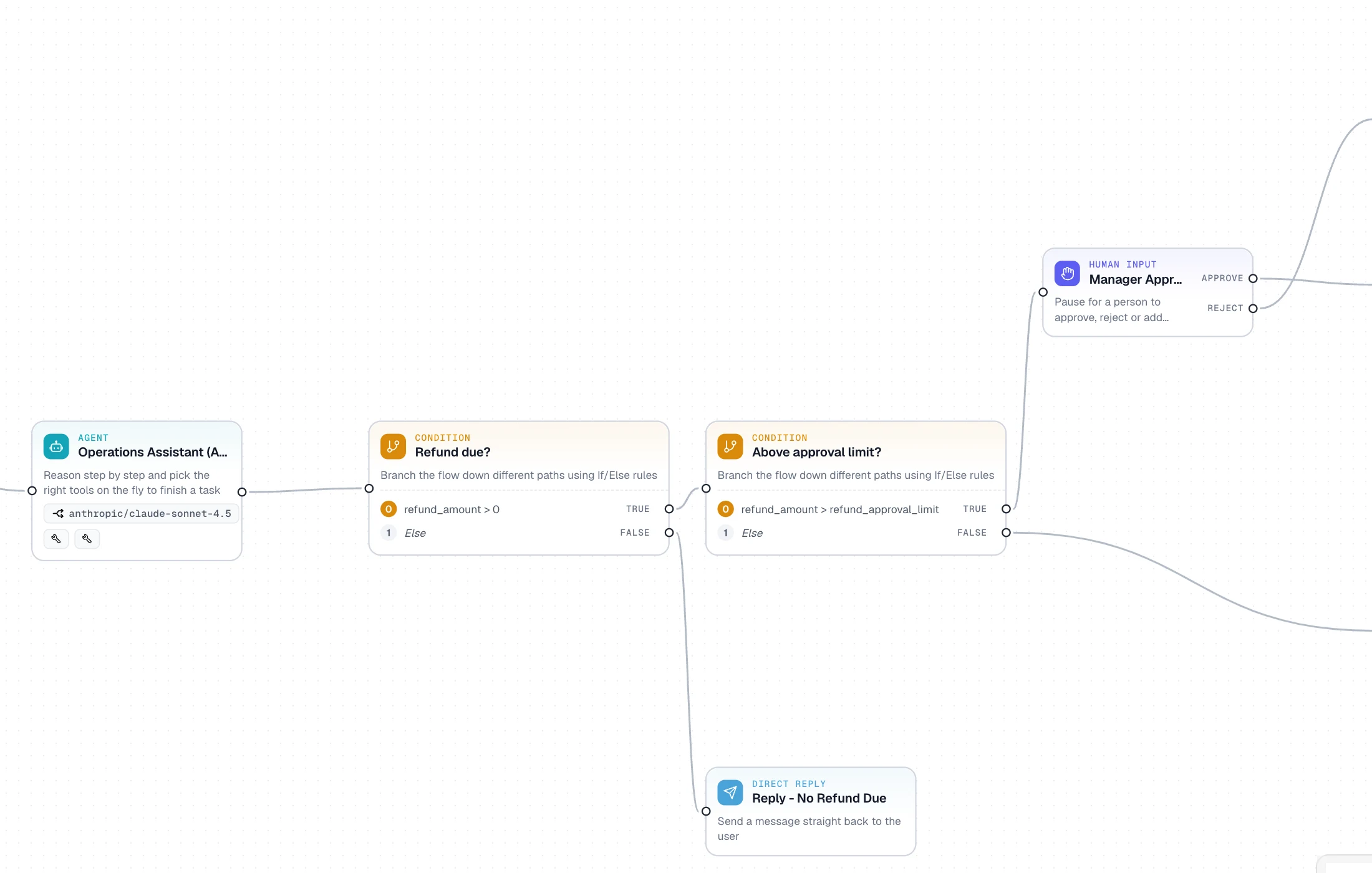
Close-up of the Cadrix canvas showing an agent, two conditions and a human approval node connected as a workflow

Approval is a node on the canvas, next to agents, tools and conditions.

FAQ

Questions, answered plainly

Only where you choose. You decide which steps run on their own and which pause for a person with a Human Input step. Every run is listed with its status, so you can see what ran and what is waiting.

It can use the tools you give it, such as Jira, Google Sheets or Google Drive, or call your own systems with the HTTP node. Credentials are stored as encrypted connections and are never shown to builders or the model.

Open the run and look at the step that failed. You can retry it, or edit and re-run. Retries create a new linked run, so the original stays in the history.

No. Workflows are drawn on the canvas. If you need custom logic you can add a JavaScript tool, but it is optional.

Build your first Operations workflow today.

Start on the free plan, bring your own model key, and see a real run traced end to end.