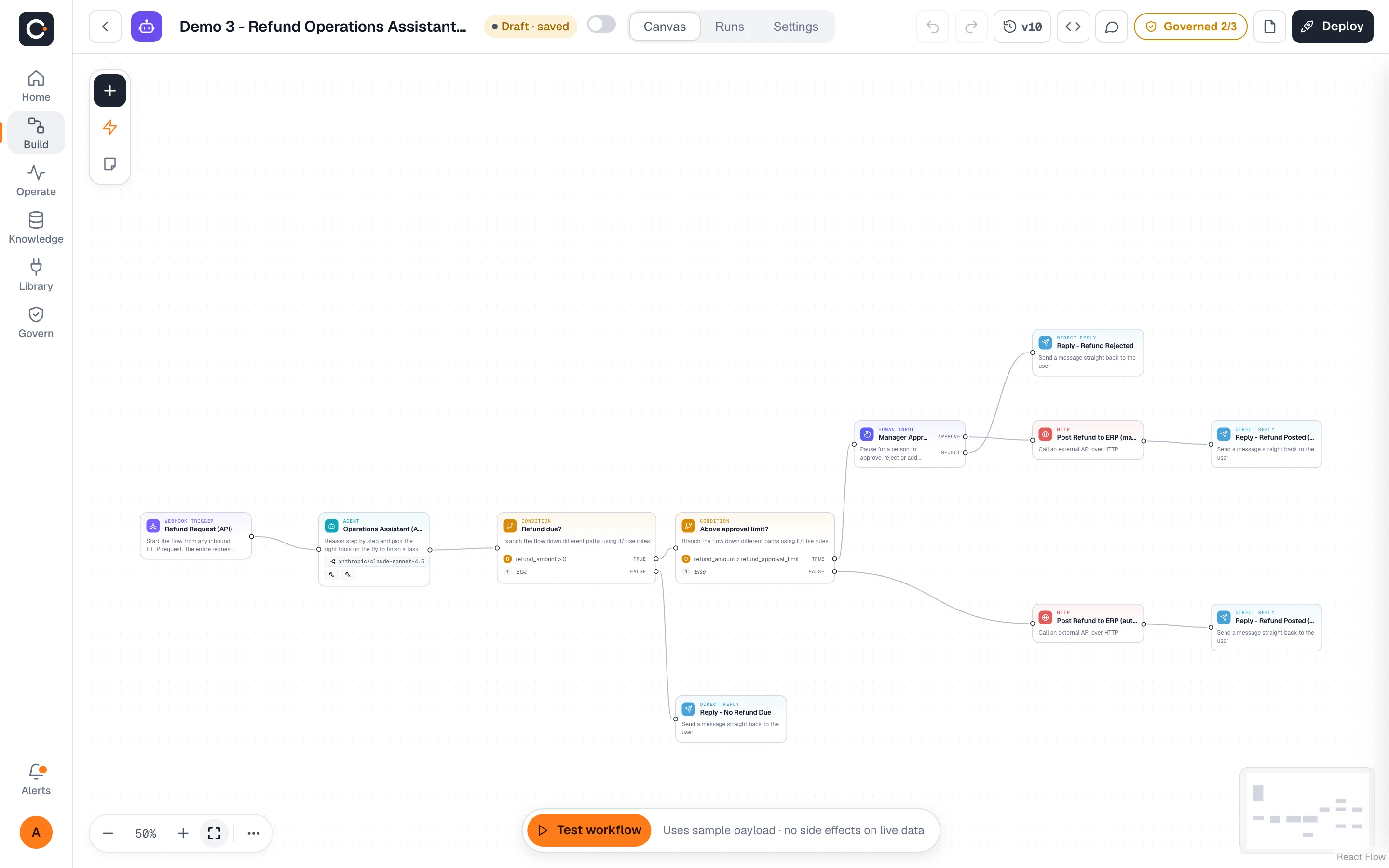
Describe or draw it
Lay out agents, tools, conditions and approval steps on a visual canvas. Test a run without leaving the editor.
Cadrix is the governed workspace where teams design AI workflows on a visual canvas, connect their own knowledge and tools, and run everything with full tracing, human approvals and the access controls IT expects.
No credit cardBring your own model key
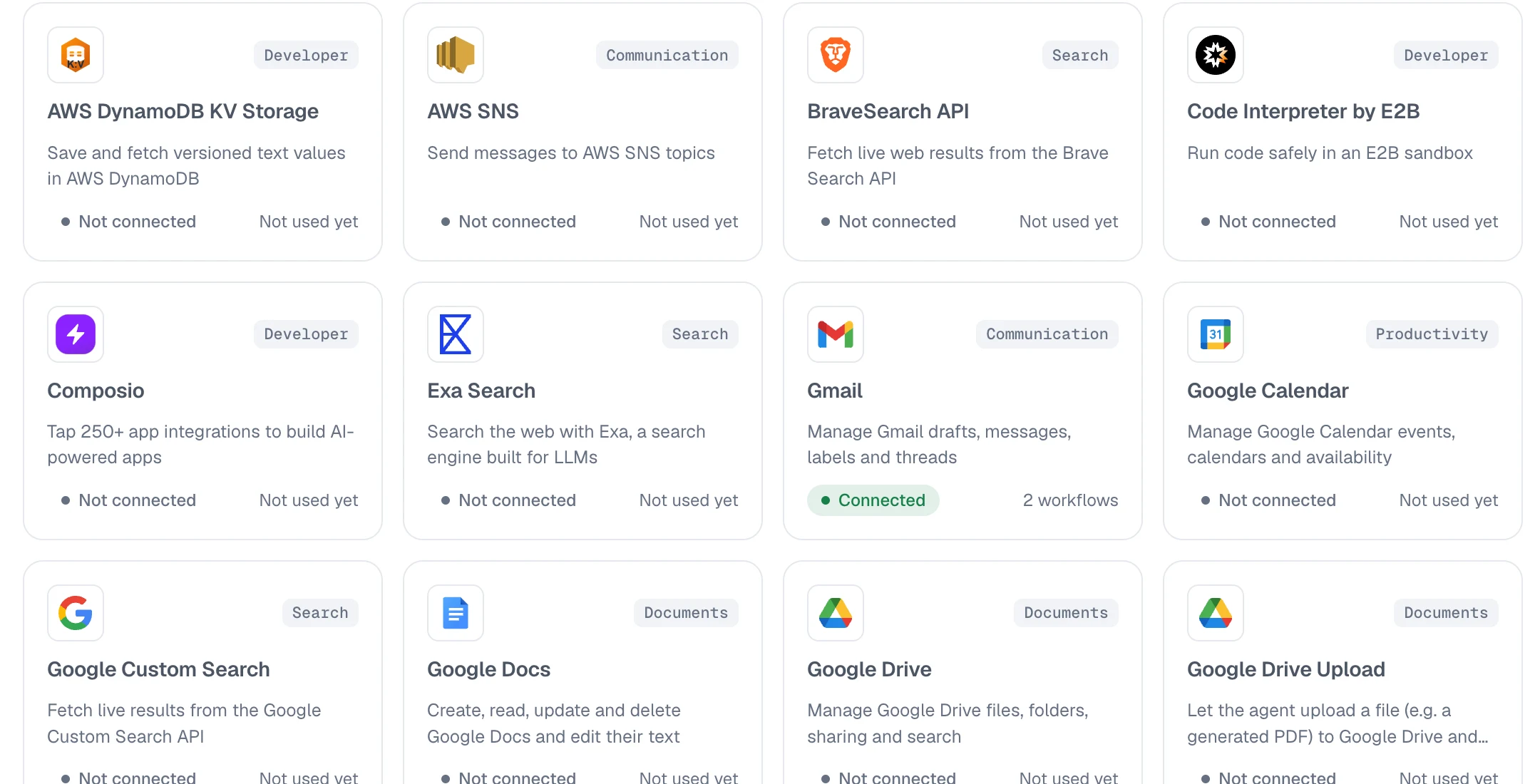
Connect the apps your teams live in. Gmail, Microsoft Teams, Google Workspace, WhatsApp, Jira, Stripe and more are ready to plug into any workflow.
 Gmail
 Google Drive
 Google Docs
 Google Sheets
 Google Slides
 Google Calendar
 Microsoft Teams
 Outlook
 WhatsApp
 Jira
 Stripe
 Slack
 Tavily
 Brave Search
 Composio
 AWS
No glue code, no black boxes. Build it visually, give it the right knowledge, and keep a complete record of what happened.
Lay out agents, tools, conditions and approval steps on a visual canvas. Test a run without leaving the editor.
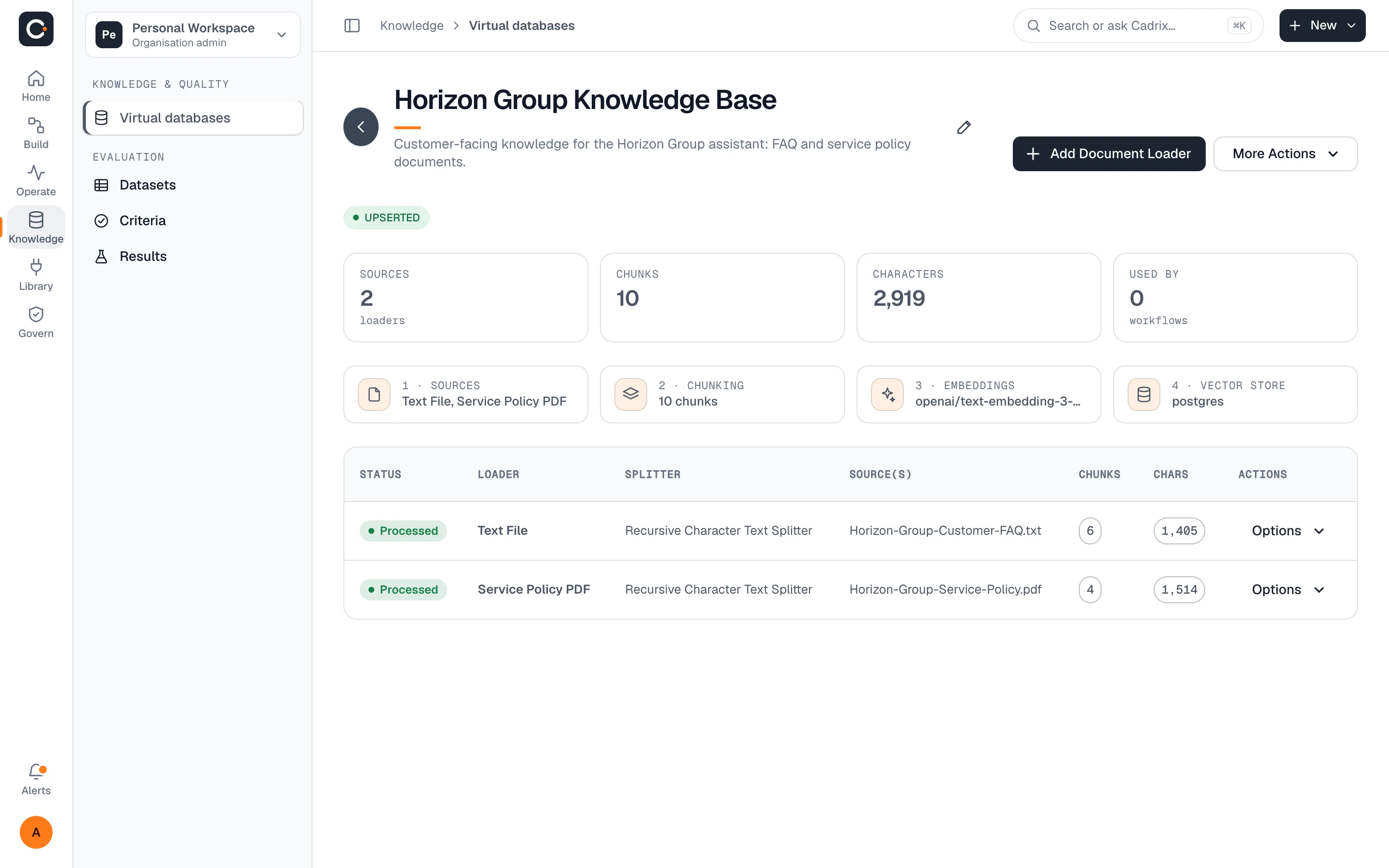
Give agents a virtual database to retrieve from, then plug in Gmail, Teams, Drive, Jira, Stripe or your own tools.
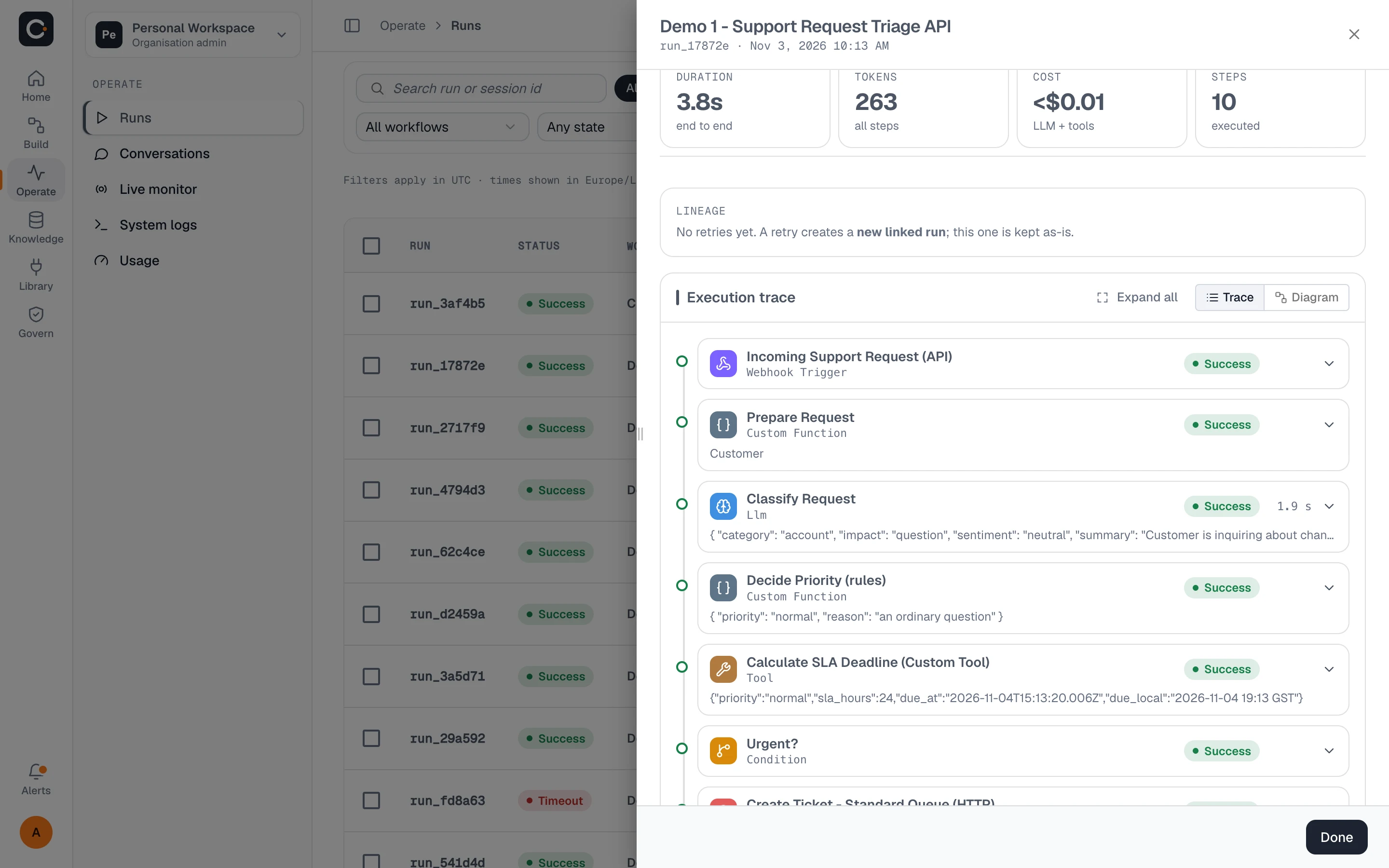
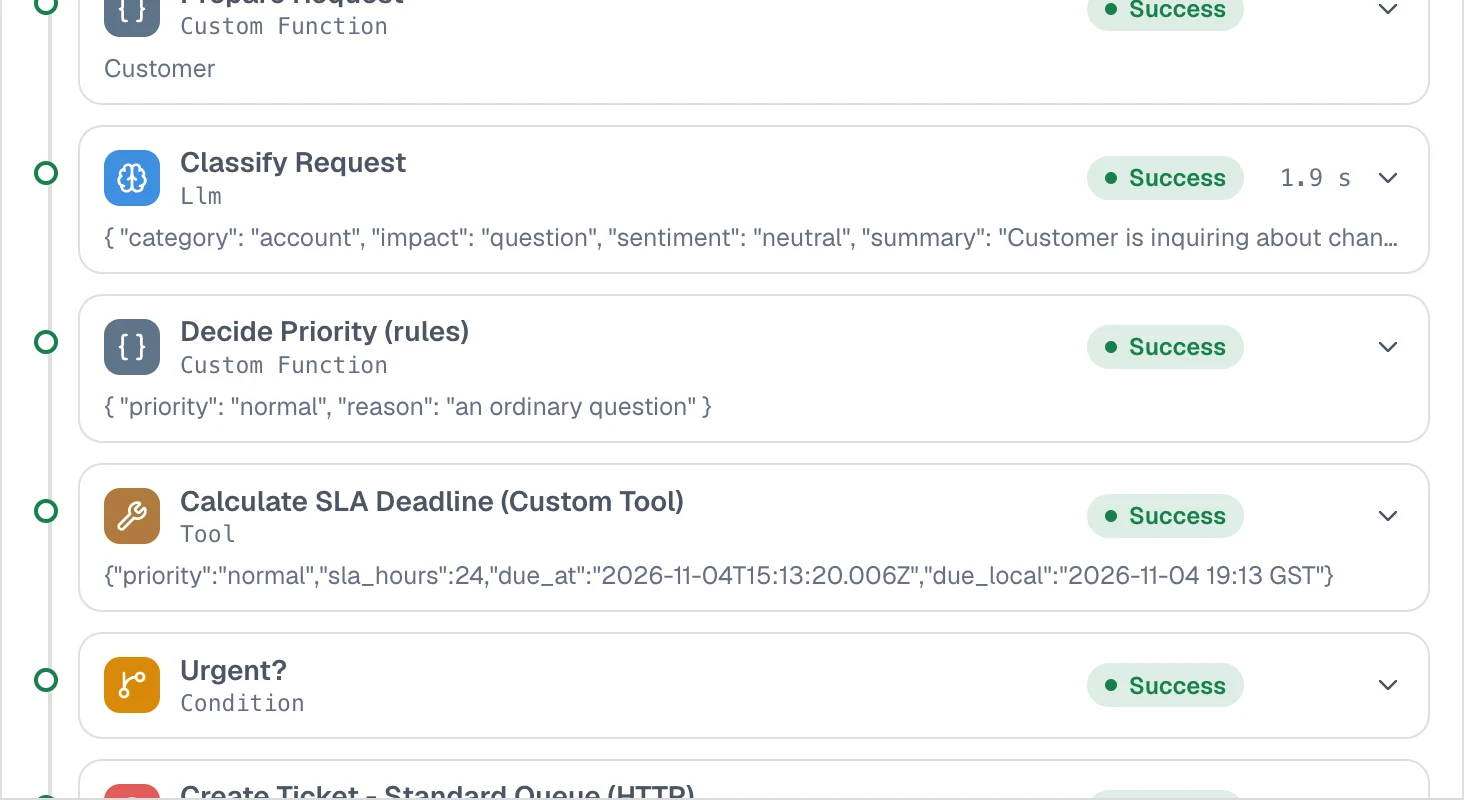
Every step records its input and output. Pause for a human decision, retry what failed, re-run with changes.
One workspace for building, connecting, running and overseeing workflows, instead of a stack of scripts nobody can audit.
Drag agents, tools, conditions and loops onto a canvas and wire them together. Test a run right where you build.
Open any run and see each step's input and output. Retry a failed step or re-run with edits; the original stays intact.
Build virtual databases from your documents and sources. Agents retrieve from them with RAG and answer from what you own.
Browse the catalog and drop a connector into a workflow.
Pause a workflow at any step until the right person approves, edits or rejects, then pick up exactly where it stopped.
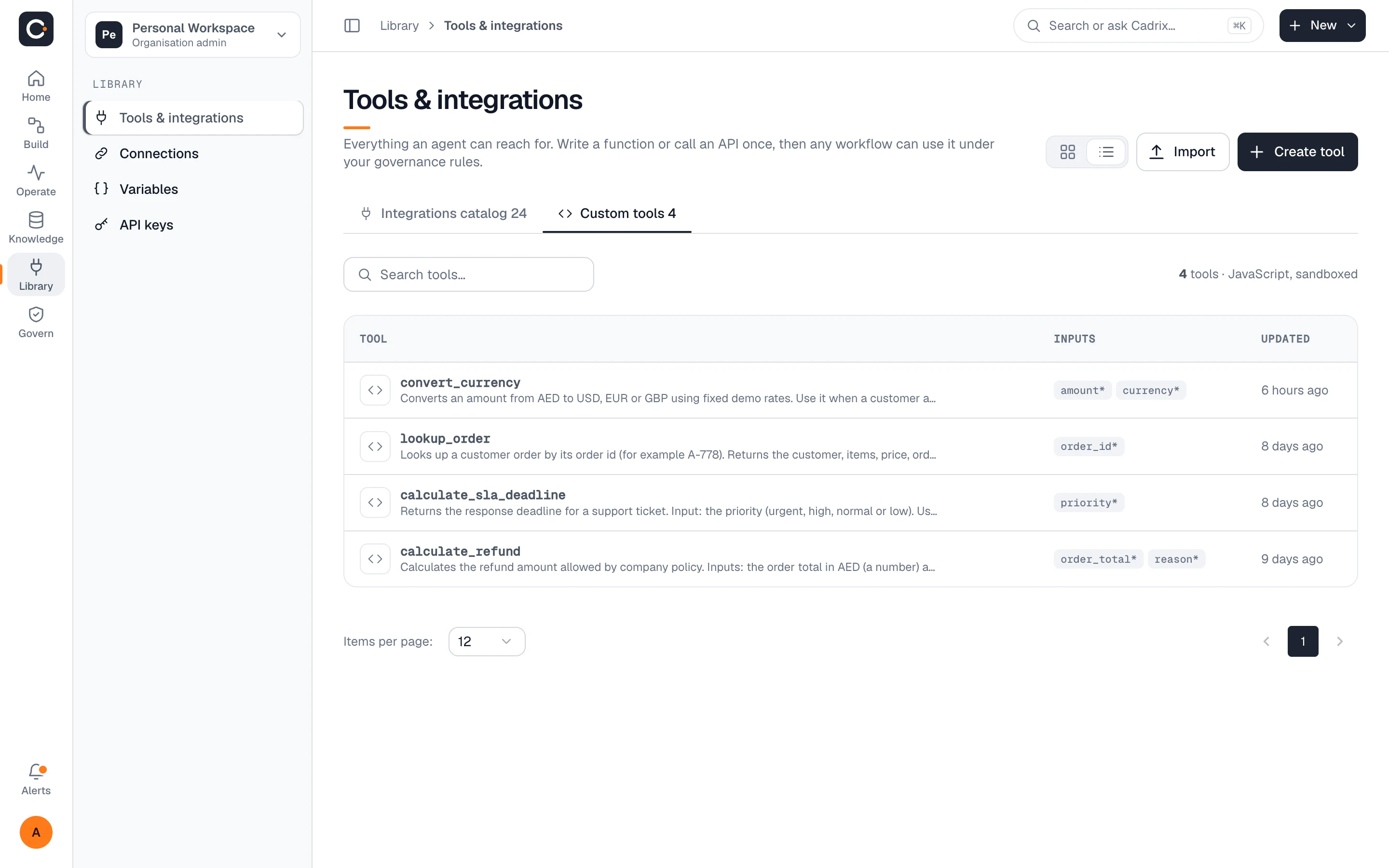
Write custom JavaScript tools or connect any MCP server, and use them in workflows like any built-in connector.
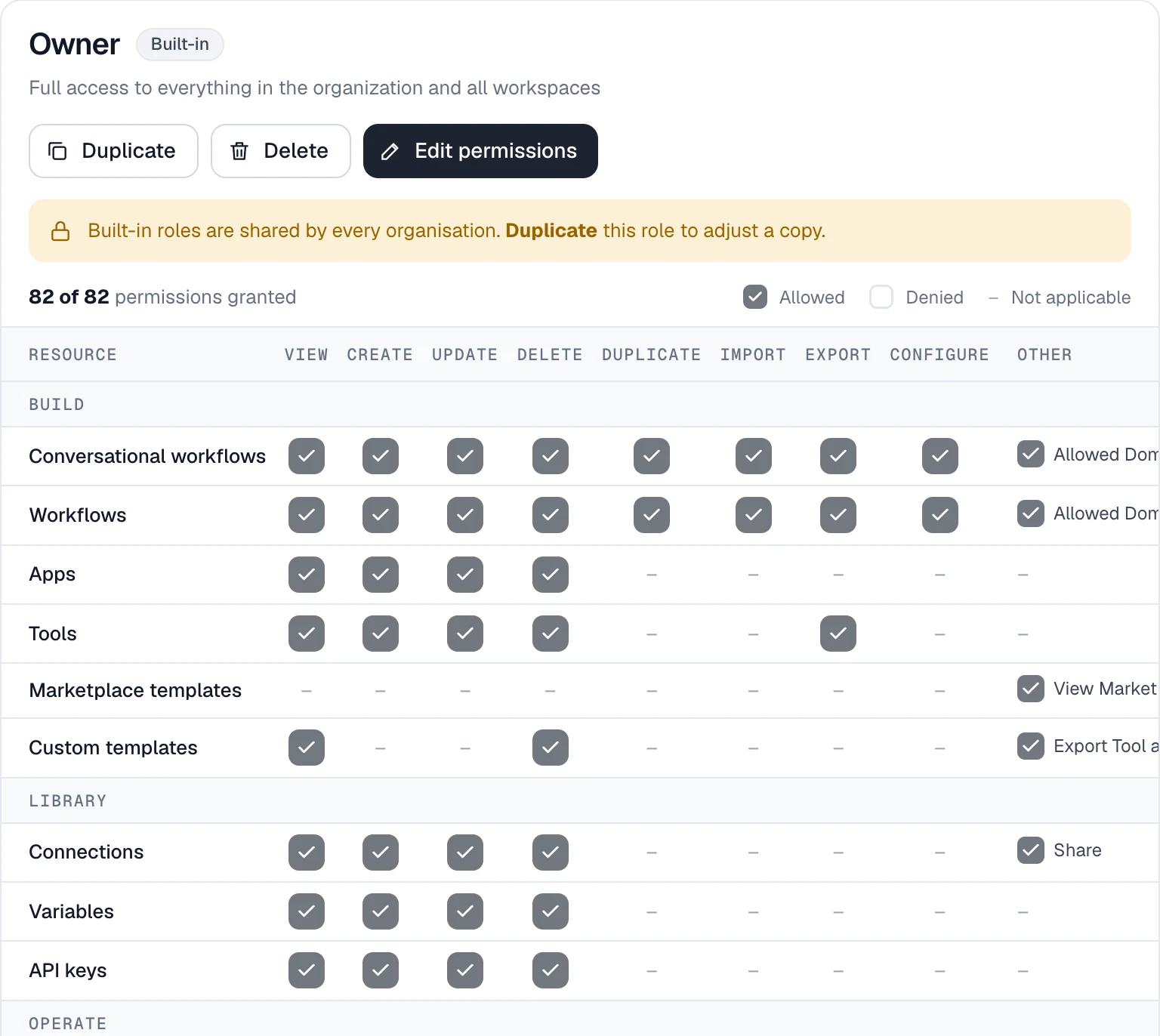
Governance is part of the product, not an add-on. Decide who can build, who can run and who can approve, and keep a record of all of it.
Every plan includes the visual canvas, knowledge and integrations. Bring your own model key and pay your provider directly.
Try Cadrix on a real workflow.
No credit card
For a small team shipping its first workflows.
or $590 / year
For departments that need control at scale.
or $1,590 / year
On your infrastructure, on your terms.
On-premises or private cloud
See the full comparison on the pricing page.
Get going in minutes on Cadrix Cloud, or run Cadrix inside your own walls when policy demands it.
We run and update the platform. You build workflows.
Deploy on your own servers or in a private cloud and activate with a licence file.
Yes. Cadrix is bring-your-own-model-key: you connect the model provider you already use, and model usage is billed by that provider, not by Cadrix. Your plan limits cover workspace usage such as members, workflows, runs and storage.
Knowledge, workflows and run history live in your Cadrix workspace, and access is governed by roles and permissions. If your policy requires it, Enterprise can run on-premises or in your private cloud so data stays inside your own environment.
Yes, on the Enterprise plan. It is deployed on your infrastructure or private cloud and activated with a licence file. Talk to us and we will walk through requirements and rollout.
Starter is free with 1 member, 5 workflows, 1,000 runs a month and 50 MB of storage. Pro adds 3 members, 50 workflows, 20,000 runs and 5 GB. Team has 50 members, 200 workflows, 100,000 runs, 20 GB and custom roles. Usage quotas are visible inside the app.
You can start on Starter with no credit card and move up when you need to. Paid plans are billed monthly or yearly, with two months free on yearly billing. Full billing terms are in the pricing details.
Single sign-on is part of the Enterprise plan, alongside audit and an SLA. Roles and permissions, access history, workspace policies and usage quotas are part of the governed workspace. See Enterprise.
Build your first governed workflow on the free plan. Bring your own model key and have it running today.