One workspace to build, run and oversee AI workflows.
Draw workflows on a visual canvas, give agents the tools and knowledge they need, and keep a complete record of every run, with human approval wherever a person should decide.
No credit cardBring your own model key
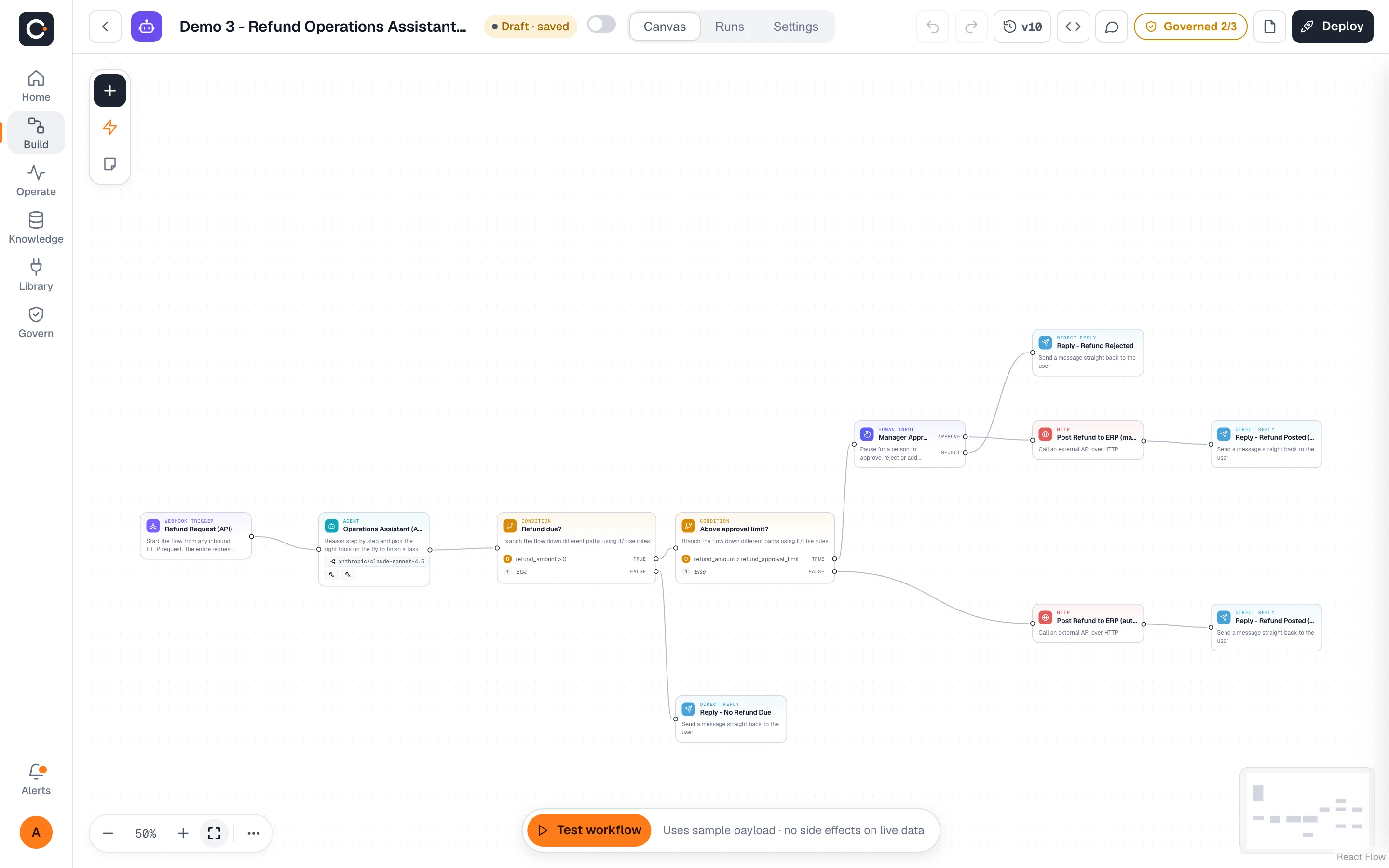
Draw the workflow. Skip the glue code.
Lay out agents, tools, conditions and approval steps on one canvas and wire them together. Test a run right where you build, then deploy when it behaves.
- Agents, tools, conditions and loops as nodes you connect
- Human approval as a step in the graph, not an afterthought
- Test a run from the editor and watch it progress
- Readable by the whole team, so the logic is not hidden in a script
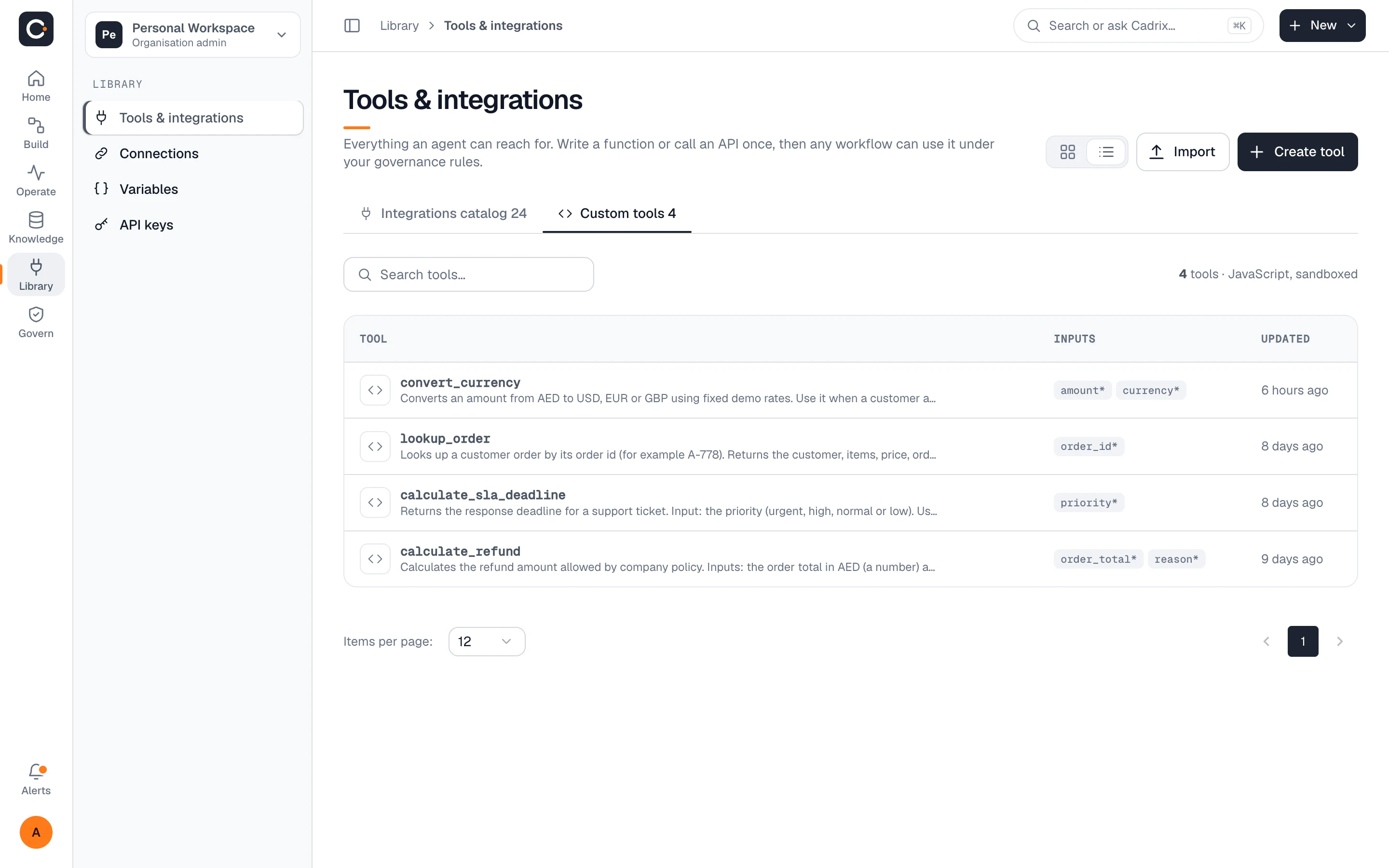
Agents that can act, within limits you set.
An agent is a node with a model, instructions and the tools you allow. It reaches your systems through the tool library, and you decide which tools each workflow can use.
- Pick from the integrations catalog or write a custom JavaScript tool
- Connect any MCP server and use it like a built-in tool
- Credentials live in connections: encrypted at rest and never shown to builders or the model
- Route on the agent output with conditions and loops
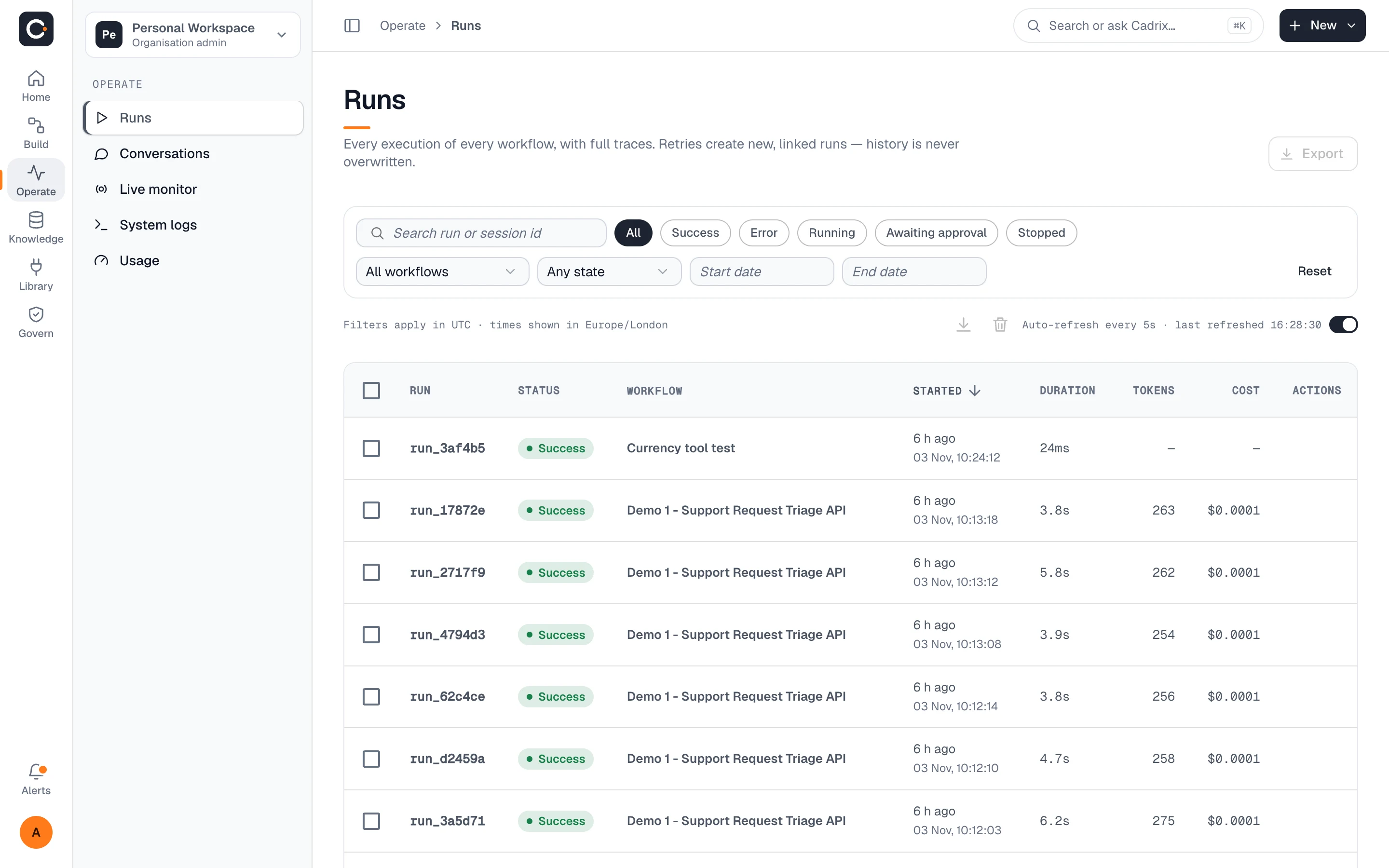
Every run, every step, on the record.
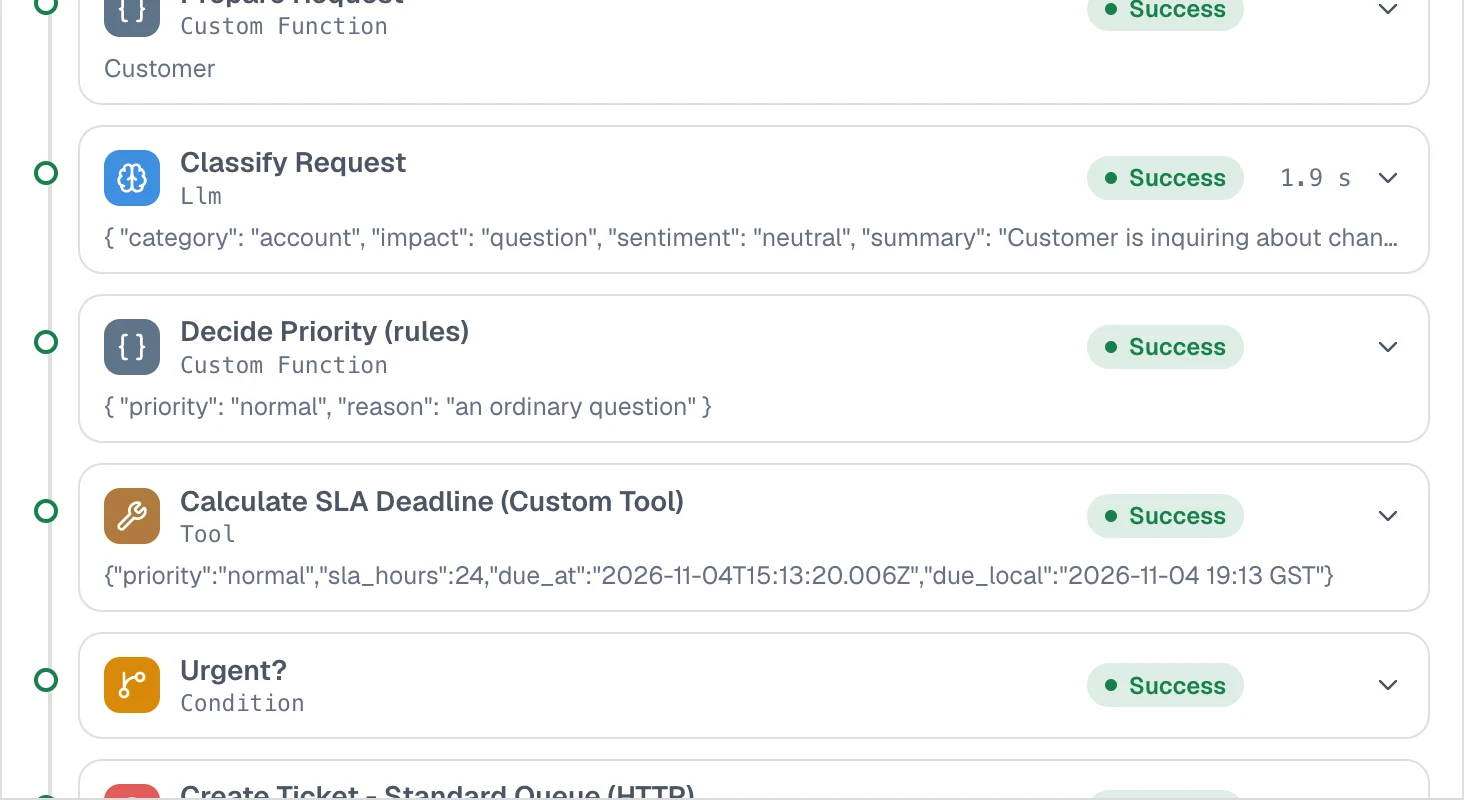
Each execution of each workflow is listed with its status, duration, tokens and cost. Open one and see what every step received and returned.
- Filter runs by status, workflow and date, and export the list
- Step-by-step trace with inputs, outputs and timings
- Retry a failed step, or re-run with edits; retries create new linked runs and history is never overwritten
- Auto-refreshing list so you can watch runs as they happen
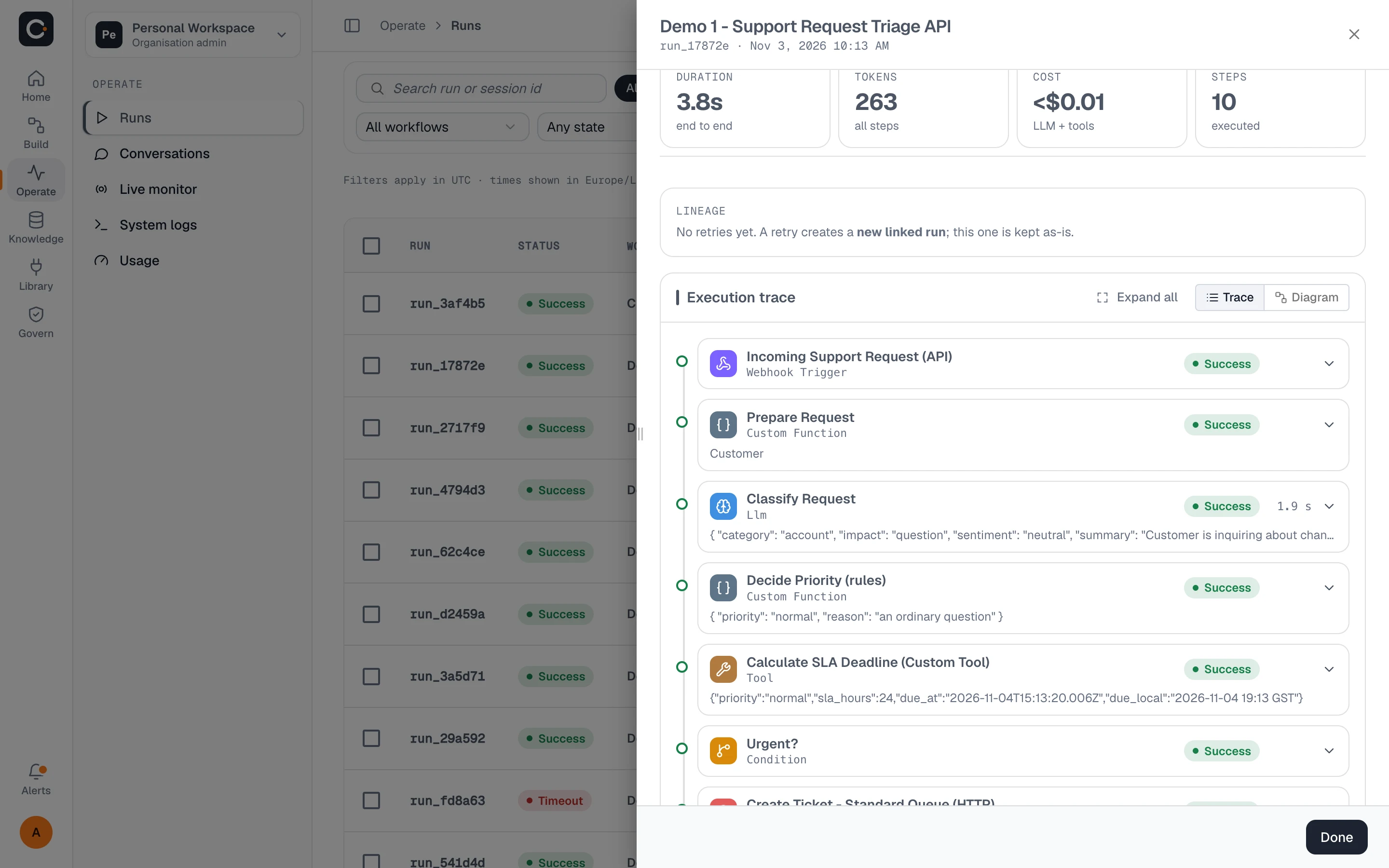
From the list to a single step
Start with the full picture, then drill into exactly what happened.
A person in the loop, by design.
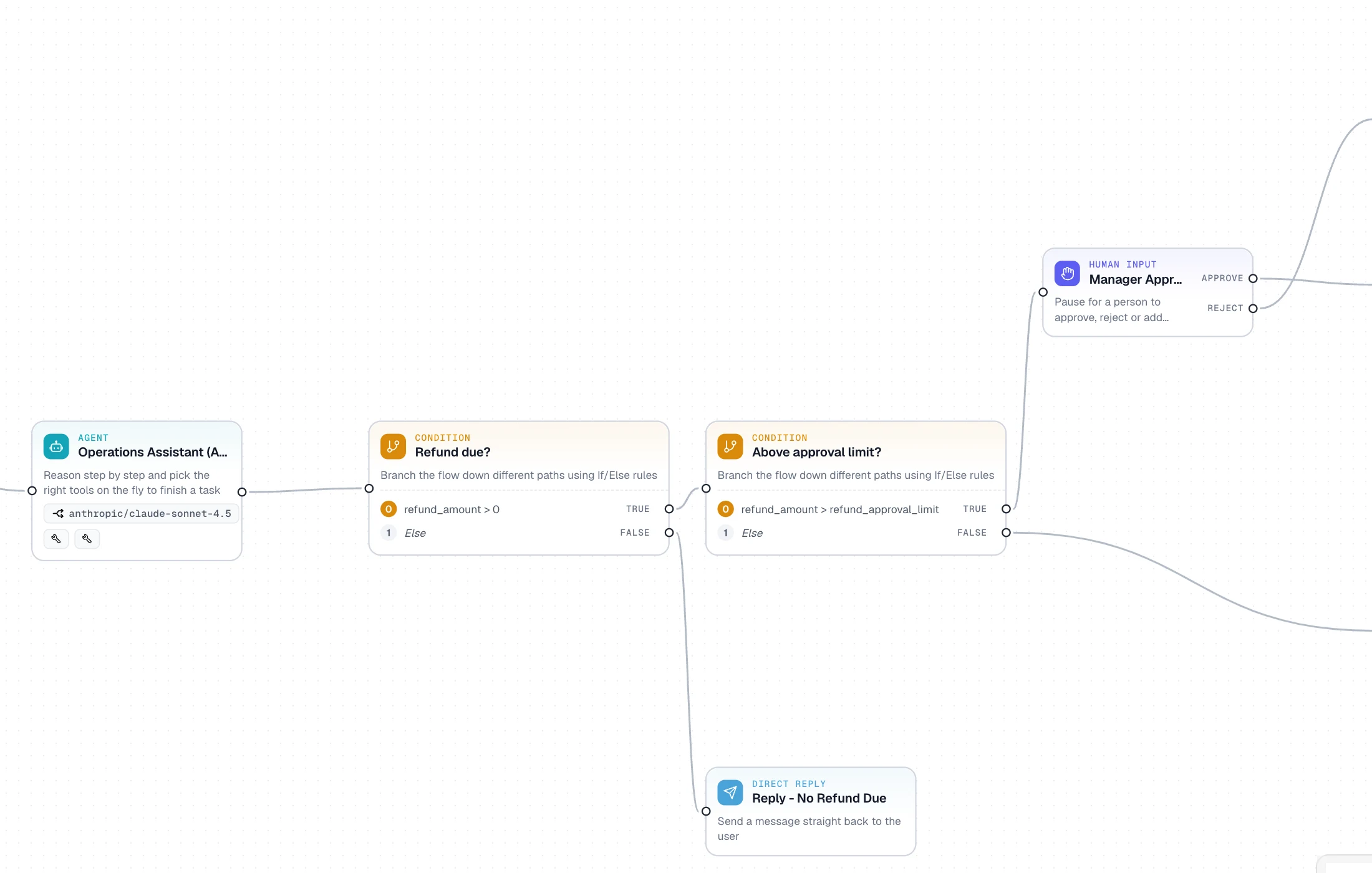
Pause a workflow at any step until the right person approves, edits or rejects. It then continues from exactly where it stopped.
- Add an approval node wherever a decision should not be automated
- Runs waiting on a person show as Awaiting approval and surface in a Needs you queue on the home page
- Approvals are part of the run trace, so the decision is on the record
Organise teams. Connect your own systems.
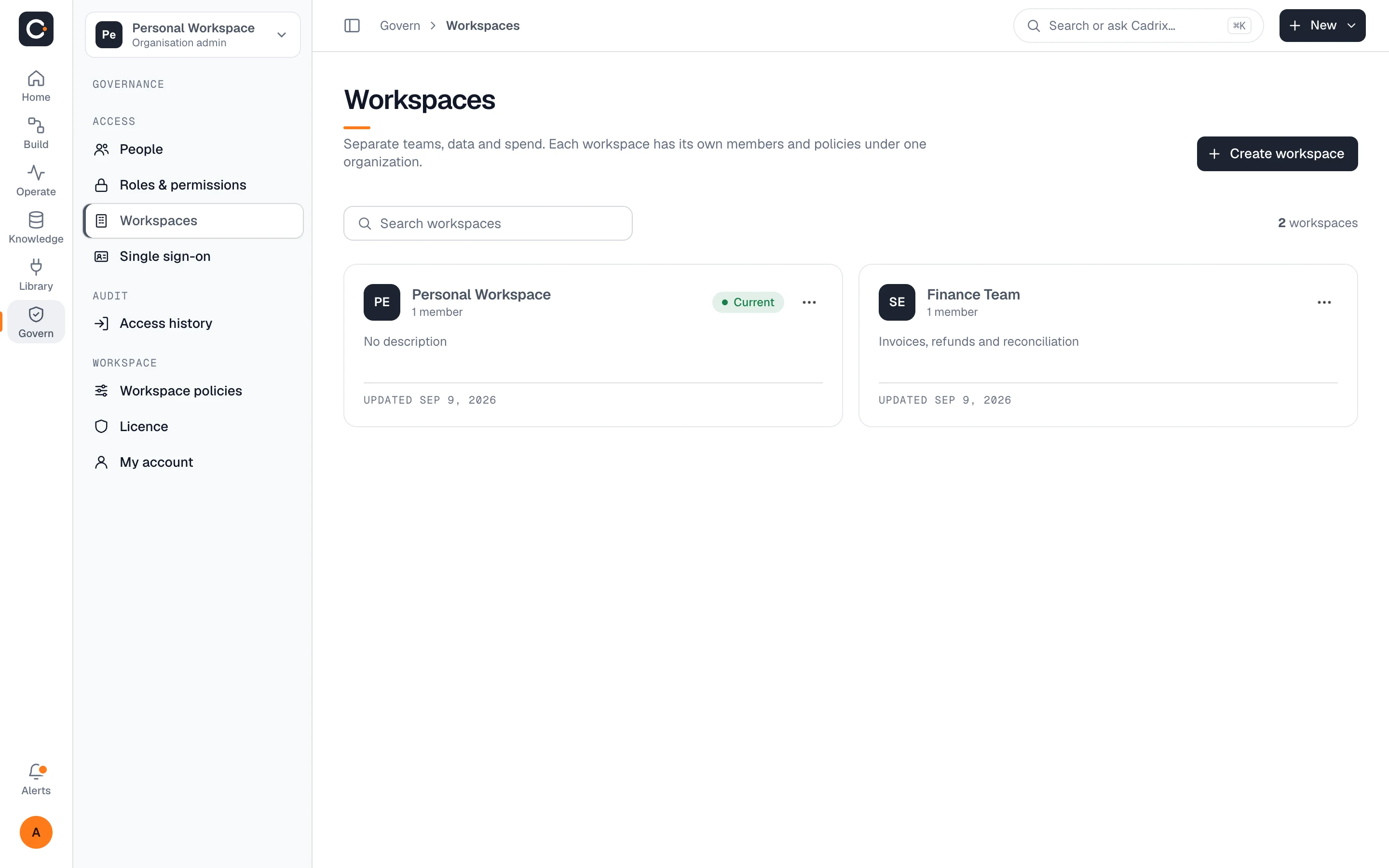
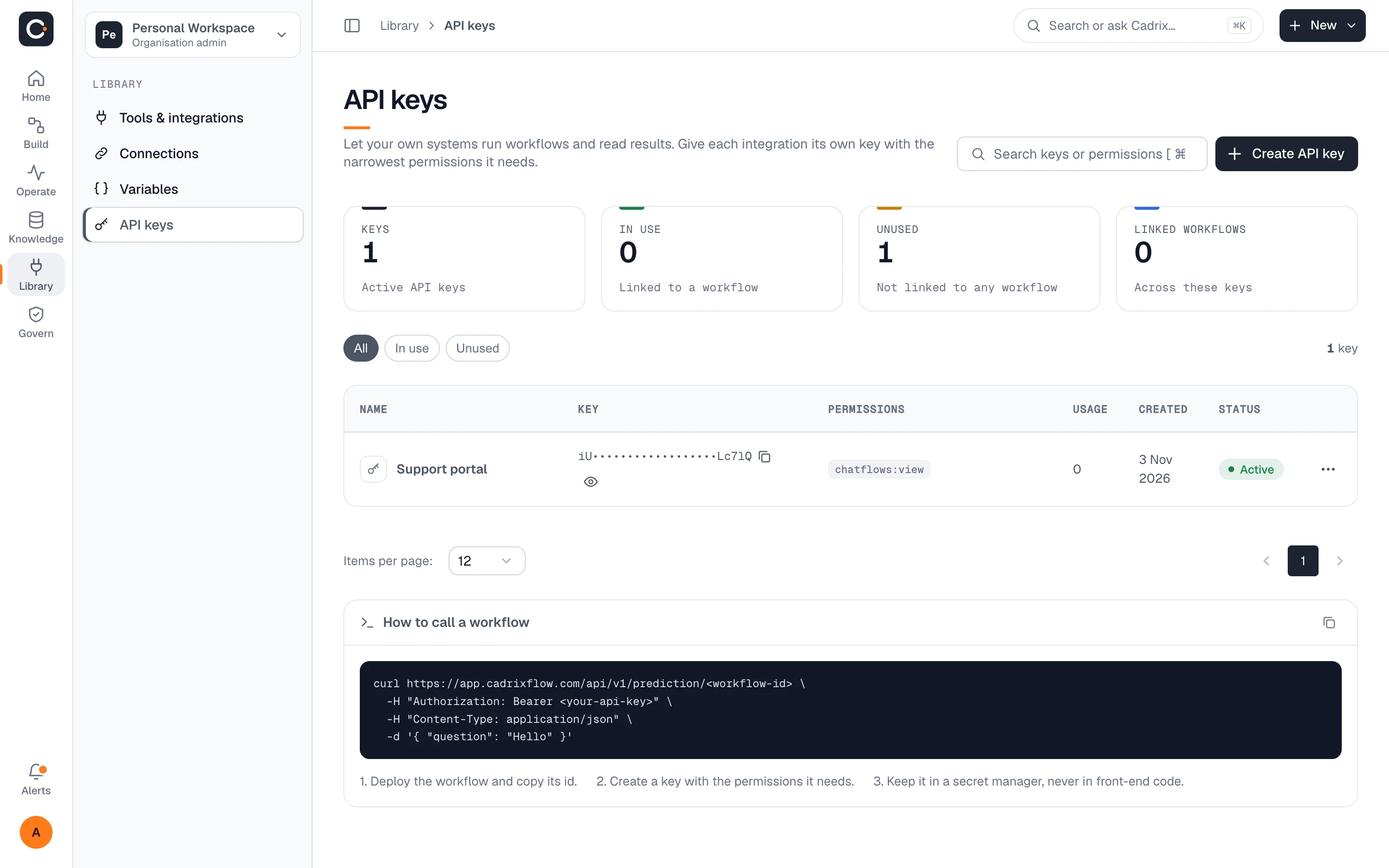
Keep teams apart inside one organisation, and let your applications run workflows with narrowly scoped keys.
Questions, answered plainly
No. Workflows are built visually on the canvas. If you want custom logic, you can add a JavaScript tool, but it is optional.
Cadrix is bring-your-own-model-key. You connect the model provider you already use as a connection, and the provider bills you for model usage directly.
Yes. Open the run to see each step with its input, output and timing. If a step failed you can retry it, or re-run with changes, and the original run stays intact.
Yes. Add a human approval step. The run pauses, shows as awaiting approval, and continues once the right person decides.
Yes. Deploy a workflow and call it over the API with a scoped key, or embed it in your site. See the integrations page for the tools workflows can use.
Build your first governed workflow today.
Start on the free plan, bring your own model key, and see a real run traced end to end.