Roles and permissions
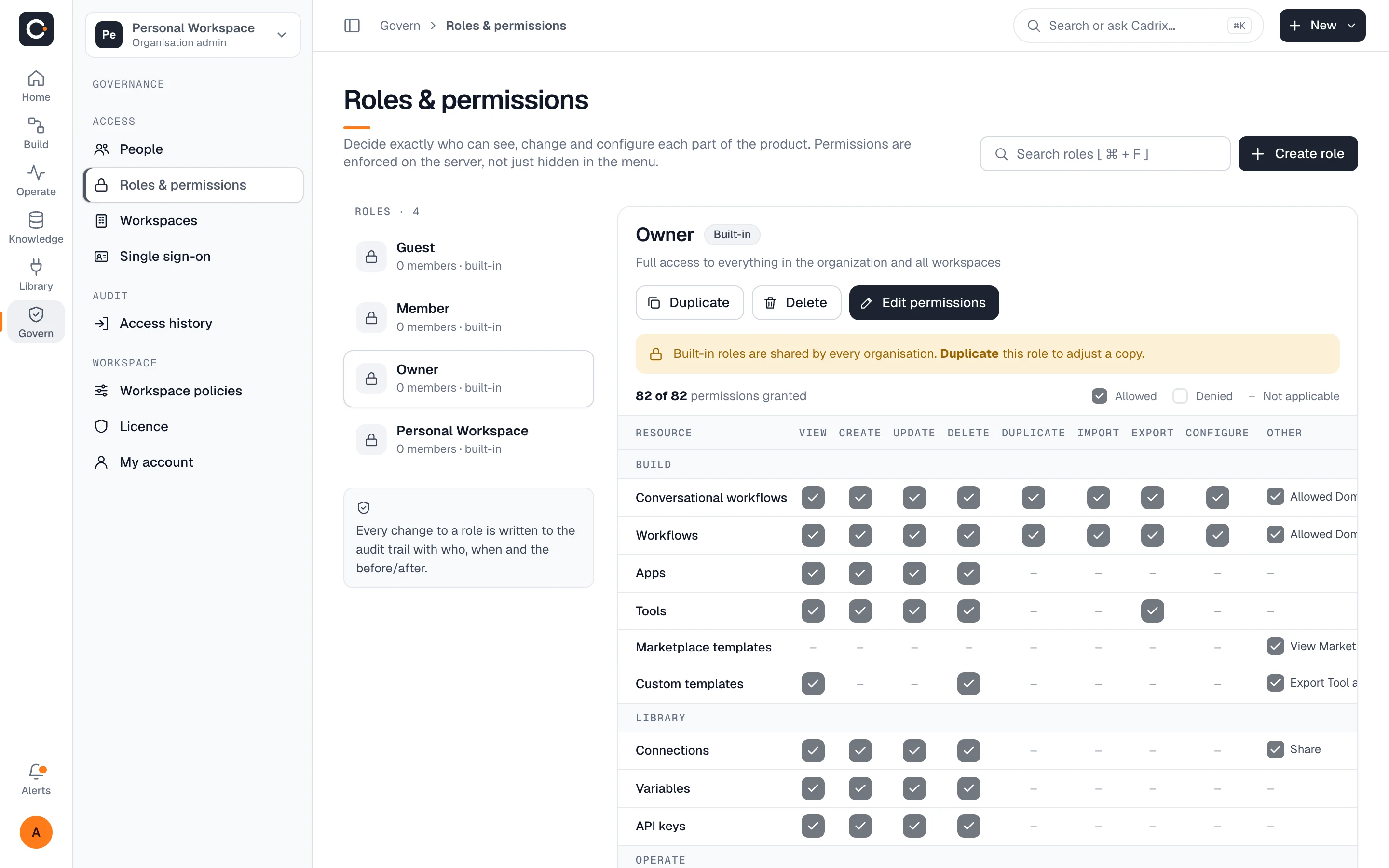
A matrix of who can view, create, update, delete and configure each part of the product.
See the matrixDecide who can build, who can run and who can approve. Trace every run, pause for human decisions, separate teams into workspaces and keep usage inside the limits you set.
Enforced on the serverEvery run tracedScoped API keys
Governance is part of the product, not an add-on. Each control below is built into the app you already build in.
A matrix of who can view, create, update, delete and configure each part of the product.
See the matrixOpen any run and see each step's input and output. Retry or re-run without losing the original.
See a tracePause a workflow until the right person responds, then continue where it stopped.
See approvalsSeparate teams, data and spend. Each workspace has its own members under one organization.
See workspacesGive every integration its own key with only the permissions it needs.
See API keysTrack runs, tokens and spend, and cap members, workflows, runs and storage.
See usagePermissions are set per resource and per action, and they are enforced on the server, not just hidden in the menu.
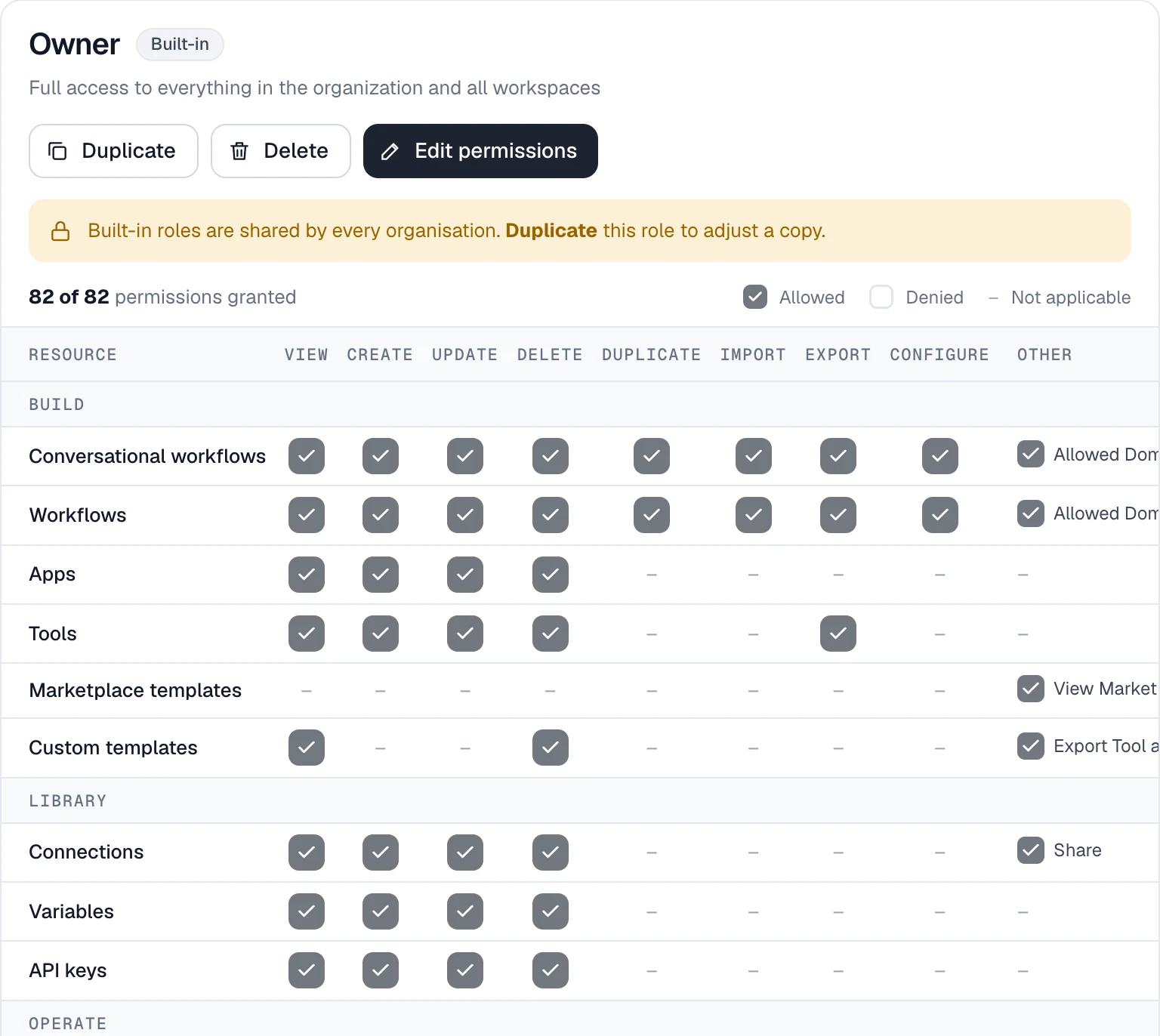
Open any run to see what each step received and returned, how long it took and whether it succeeded.
Add an approval step wherever a person should decide. The workflow waits, then picks up exactly where it stopped.
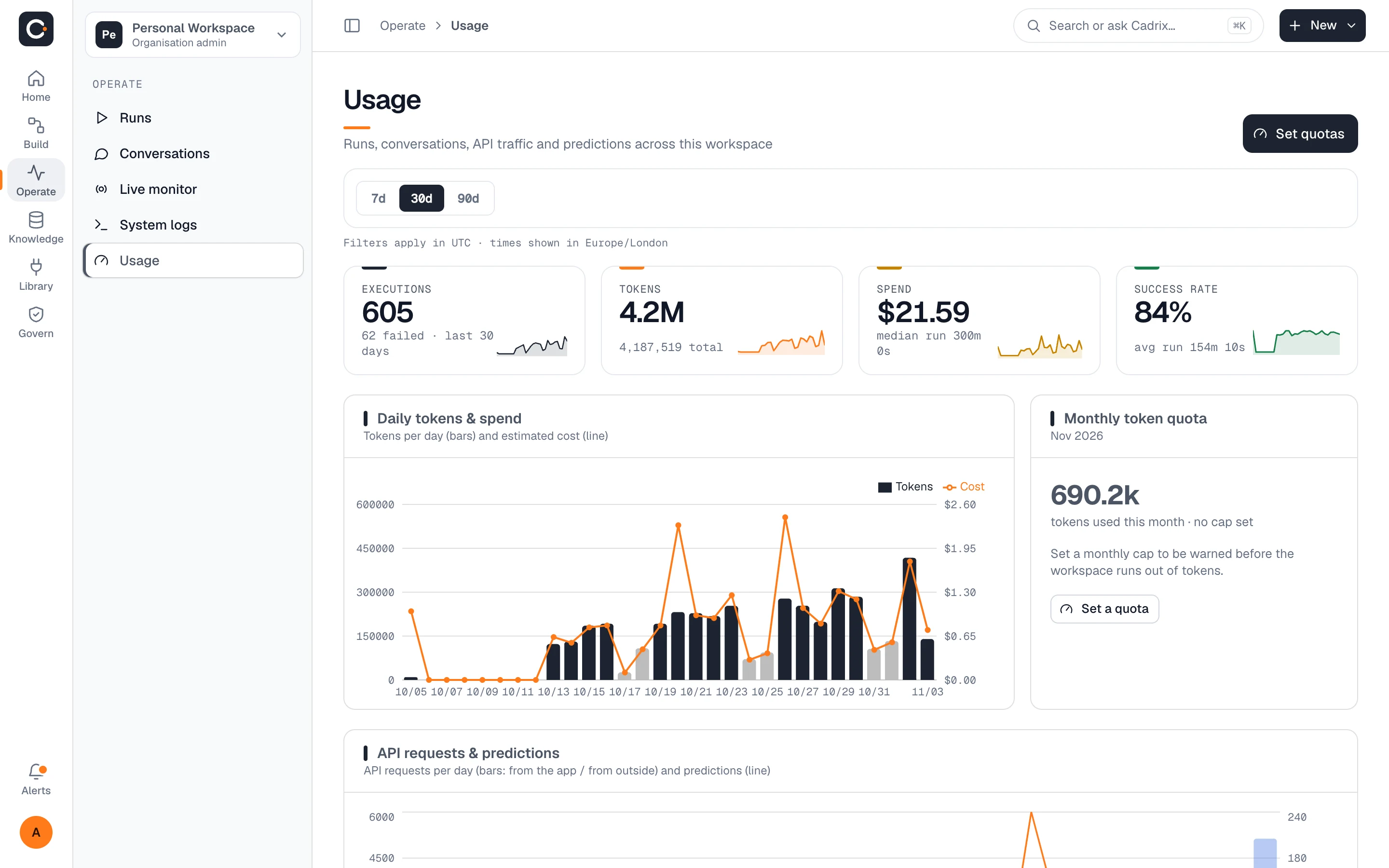
Create a workspace for each team. Each one has its own members and policies, all under one organization.
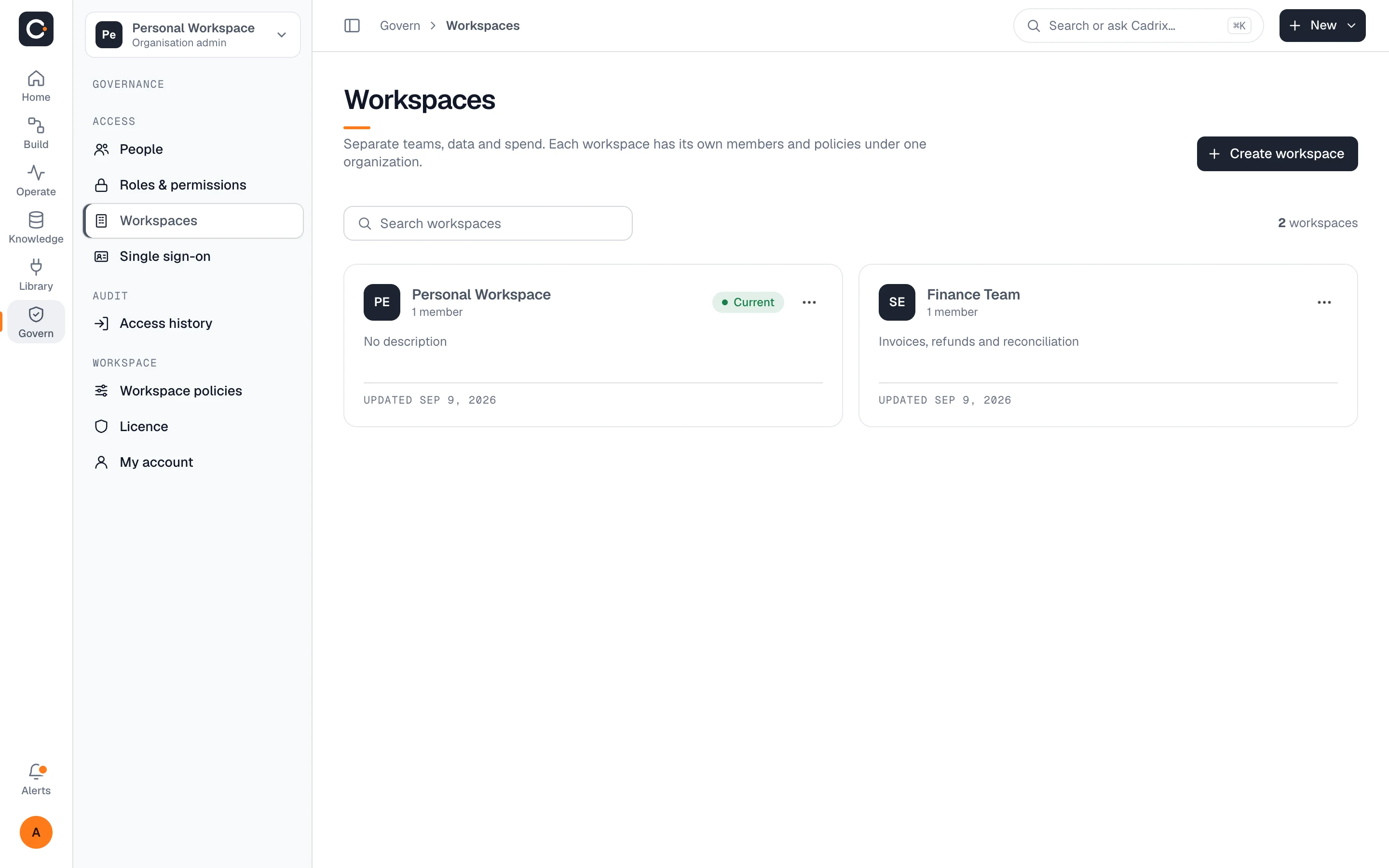
Let your own systems run workflows and read results without sharing a login. Each key carries only the permissions you give it.
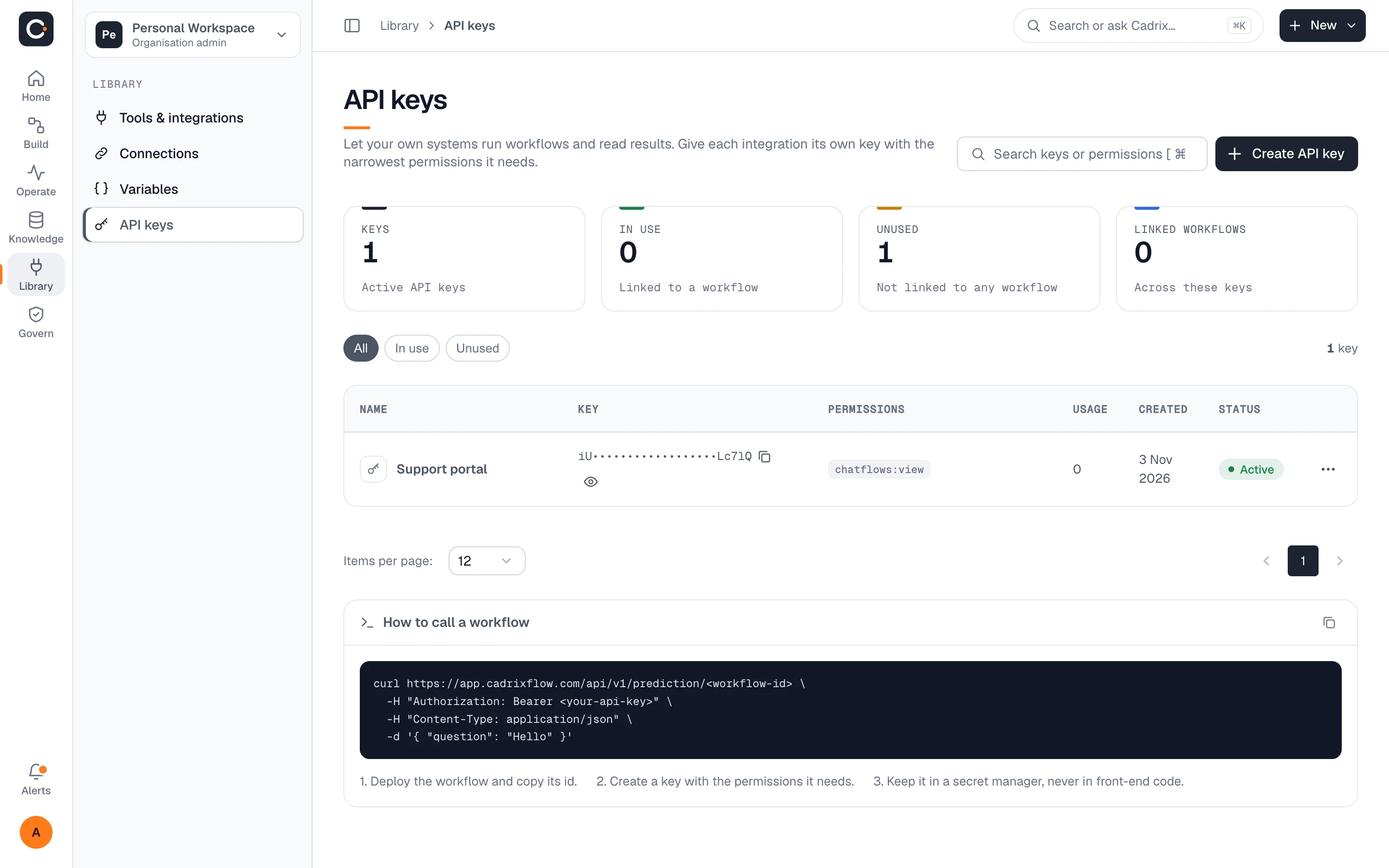
Track executions, tokens, spend and success rate over 7, 30 or 90 days, and set a monthly token cap to be warned before you run out.
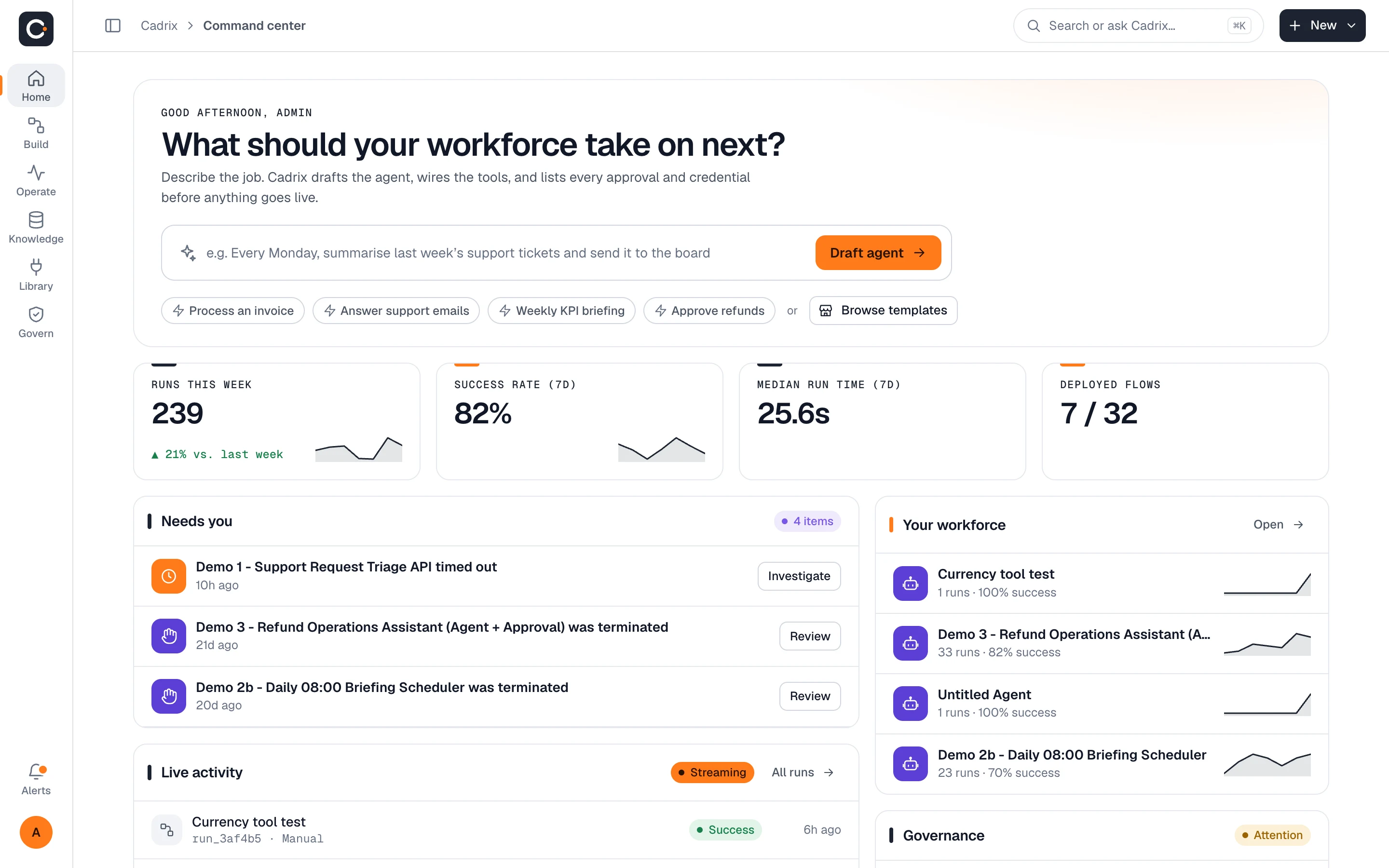
Figures in the screenshot come from demo data.
Everything above ships on every plan except the items listed under Team and Enterprise. The full limits are on the pricing page.
Starter, Pro, Team, Enterprise
Team, Enterprise
Enterprise only
Permissions are enforced on the server, so a person without access cannot reach a resource by another route. The roles page describes them as enforced on the server, not just hidden in the menu.
Yes, on the Team and Enterprise plans. Starter and Pro use the built-in roles. Built-in roles can be duplicated, and the copy adjusted.
Sign-in events, sign-outs and failed attempts, with the reason for a failure such as an unknown user, incorrect credentials or a disabled user. It is part of the Enterprise plan.
Yes. Each key is created with its own permissions, and the keys page shows which workflows a key is linked to and whether it has been used.
Starter keeps 30 days of run and log history. Pro, Team and Enterprise are not limited by time.
Creating more of that resource is blocked and the app prompts you to upgrade. Limits cover members, workflows, runs per month and storage.
Build your first governed workflow on the free plan, or talk to us about roles, SSO and on-premises deployment.