Cadrix for IT

Automate the routine, and put an approval in front of anything privileged.

Access requests, alerts and reviews all need judgement and a record. Build workflows that gather context, check it against your runbooks and policies and wait for the right owner, while you control who can build, run and call them.

IT managersService desk teamsPlatform and DevOps engineersSecurity and compliance leads

No credit cardBring your own model key

Example workflows

Three ways to start

Each one runs from a trigger, through agent and tool steps, to an approval and an output.

These are illustrative examples assembled from node types in Cadrix. They are not ready-made templates, and your own systems, rules and approvers will shape the real thing.
Example workflow

Access request with an owner approval

A service desk form posts a request. The agent checks it against your access policy, the system owner approves, and your own API does the provisioning.

  1. Trigger
    Webhook Trigger
    The service desk form posts a request
  2. Knowledge
    Retriever
    Looks up the access policy
  3. Agent
    Agent
    Summarises the request and the policy match
  4. Approval
    Human Input
    System owner approves or rejects
  5. Tool
    HTTP
    Calls your provisioning API
Example workflow

Alert triage against runbooks

A monitoring alert is posted into a workflow that finds the matching runbook, proposes a severity and asks the on-call engineer to confirm.

  1. Trigger
    Webhook Trigger
    Monitoring posts an alert
  2. Knowledge
    Retriever
    Finds the matching runbook
  3. Agent
    Agent
    Proposes a cause and a severity
  4. Approval
    Human Input
    On-call engineer confirms
  5. Tool
    Jira
    Creates the incident issue
Example workflow

Periodic access review

A scheduled run pulls an account list from your system and prepares a review for the owner. They confirm the changes before anything is exported.

  1. Trigger
    Schedule Trigger
    Once a quarter
  2. Tool
    HTTP
    Gets the account list from your system
  3. Agent
    Agent
    Flags accounts that look stale
  4. Approval
    Human Input
    Owner confirms the list
  5. Output
    Generate Excel
    Creates the review workbook
What governance gives you here

Control that fits IT work.

  • Scoped API keysGive every integration its own key with only the permissions it needs, and see which keys are linked to a workflow and which are unused.
  • Roles enforced on the serverBuilt-in roles, plus custom roles with a permission matrix on Team and Enterprise. A person without access cannot reach a resource by another route.
  • Run tracing and retriesEvery run has a step-by-step trace. A failed step can be retried or re-run with edits, and the original run stays intact.
  • Encrypted connectionsCredentials live in connections, encrypted at rest and never shown to builders or the model.
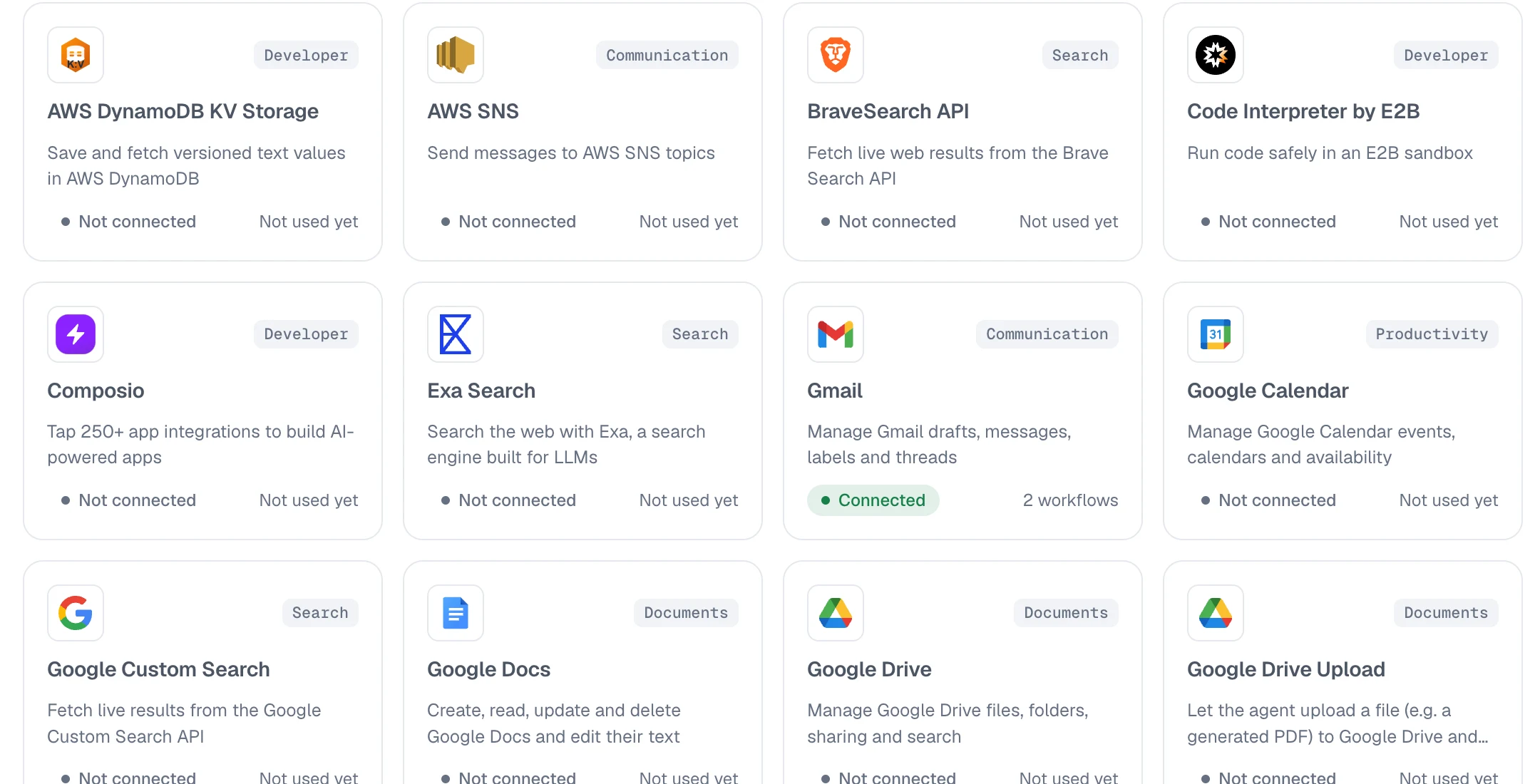
app.cadrixflow.com / library
The Cadrix tools and integrations library showing a grid of integrations with their categories and connection status

The library shows which integrations exist and which are connected.

FAQ

Questions, answered plainly

Only if you build it that way. The examples stop at a Human Input step before the HTTP call that changes anything, so the owner approves first.

Yes. A workflow can start from a webhook, and you can call a deployed workflow over the API with a scoped key. The HTTP node lets a workflow call your own APIs in return.

Each run records the failed step, and you can retry it. An Error Trigger workflow can also start when another workflow fails, so you can be notified.

Single sign-on and access history are part of the Enterprise plan. See the governance and enterprise pages for what is included.

Build your first IT workflow today.

Start on the free plan, bring your own model key, and see a real run traced end to end.