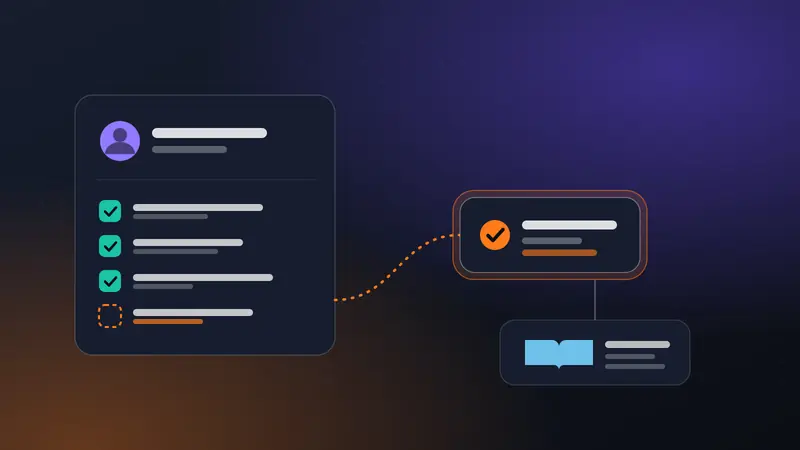
Invoices are a good first workflow for a finance team. The input is a document with a known purpose, the output is a small set of fields, and the decision at the end (pay or don't) is one a person already owns. Done well, the AI does the reading and the typing, and people keep the judgment.
This post walks through a workflow that receives invoices by email, extracts the data, checks it against rules, routes it by amount, and hands the approved result to your accounting system.
What the workflow does#
- An invoice arrives by email or upload.
- The document is read and turned into structured fields.
- Rules check the fields, not the model's opinion.
- The invoice is routed by amount and by exceptions.
- An approver sees a clear summary and decides.
- The approved data goes to your accounting system, and the decision is recorded.
The shape matters more than the tools. Notice that the model appears in step 2 only. Everything after it is rules and people.
Step 1: Intake#
Invoices tend to arrive in a shared mailbox. A trigger on that mailbox starts the workflow for each message with an attachment. Cadrix has an Outlook mailbox trigger for this, and a webhook works for other sources.
Do some cheap filtering first. Skip messages with no PDF or image attachment. Check the sender against a list of known suppliers if you have one, and send unknown senders to a separate path. A fake invoice from an unfamiliar sender is a classic fraud route, and you want it looked at by a person.
Step 2: Extraction#
Ask the model for a fixed structure, not a paragraph. Typical fields are supplier name, invoice number, invoice date, due date, currency, subtotal, tax, total, and line items. Give each field a clear definition and tell the model to return an empty value when it cannot find one rather than guess.
Two practical points:
- Text PDFs and scans are different. A PDF exported from accounting software has real text. A photo or scan is just an image. Use a text extraction path for the first and a vision-capable model for the second. In Cadrix, the PDF loader has a vision extraction mode for scanned documents.
- Mixed languages and layouts are common, especially with international suppliers. Test with real invoices from your actual suppliers before you trust the result, including the awkward ones.
Step 3: Check the numbers with rules#
This step is what makes the workflow safe, and it uses no AI.
- Do the line items add up to the subtotal? Does subtotal plus tax equal the total?
- Is the invoice number already in your records? Duplicates are common.
- Is the currency one you expect for this supplier?
- Is the due date in the past, or the invoice date in the future?
- Does the supplier exist in your vendor list, and do the bank details match the ones on file?
Any failure sends the invoice to a person with the reason attached. A model can misread a digit. Arithmetic does not forget to check.
If you also have a purchase order, compare the invoice to it: supplier, amounts and quantities. This is the usual "match to the purchase order" control, and it catches more problems than any amount of prompt tuning.
Step 4: Route by amount and exceptions#
Use a condition to decide who looks at the invoice.
- Under a low threshold and fully matched: a single approver, or auto-approve if your policy allows it.
- Above the threshold: a manager.
- Any rule failure, new supplier or changed bank details: finance review, always.
Thresholds belong to your finance policy, not to the workflow builder. Write them down and change them in one place.
Step 5: The approver's view#
The approval step is the point of the whole workflow, so design it. The approver should see:
- Supplier, invoice number, total and due date, in plain words.
- The result of each rule check, with failures first.
- A link or preview of the original document, so they can compare.
- The extracted values side by side with anything the model flagged as uncertain.
- Options to approve, correct a field and approve, or reject with a reason.
Separate who prepares from who approves. NIST's access control guidance calls this separation of duties: identify the duties that must be kept apart, and set access permissions that enforce the split, to limit the risk of misuse by one person acting alone. In practice, the person who adds a supplier or changes bank details should not be the person who approves payment to that supplier.
Step 6: Hand-off and record#
After approval, send the data to your accounting or ERP system through its API with an HTTP step, using an idempotency key if it supports one so a retry cannot create a second bill. Store the original document with the record. Then post a short confirmation to the person who sent it, if that is useful.
Keep the whole run in the trace: what was extracted, which rules passed, who approved and what they changed. When someone asks next quarter why this invoice was paid, you can show them.
Building it in Cadrix#
- Outlook trigger on the shared mailbox, with a condition that requires an attachment.
- LLM or Agent step with a structured output schema for the invoice fields, using vision extraction for scans.
- Custom Function for the arithmetic and duplicate checks, returning a pass or fail list.
- Condition that routes by total, supplier status and rule results.
- Human Input with a description built from the fields and rule results; the approver can approve, edit or reject.
- HTTP step to post the approved invoice to your system, then a final notification.
You can test the workflow from the editor with real sample invoices and open the trace to see what each step received.
Measure it honestly#
Before you go live, run a batch of past invoices through the workflow without sending anything, and compare the extracted fields with what your team actually entered. Count the fields that differ, by field. That count is your real accuracy, and it tells you which rule or approval to tighten. Do not publish a number from anyone else's test as your own.